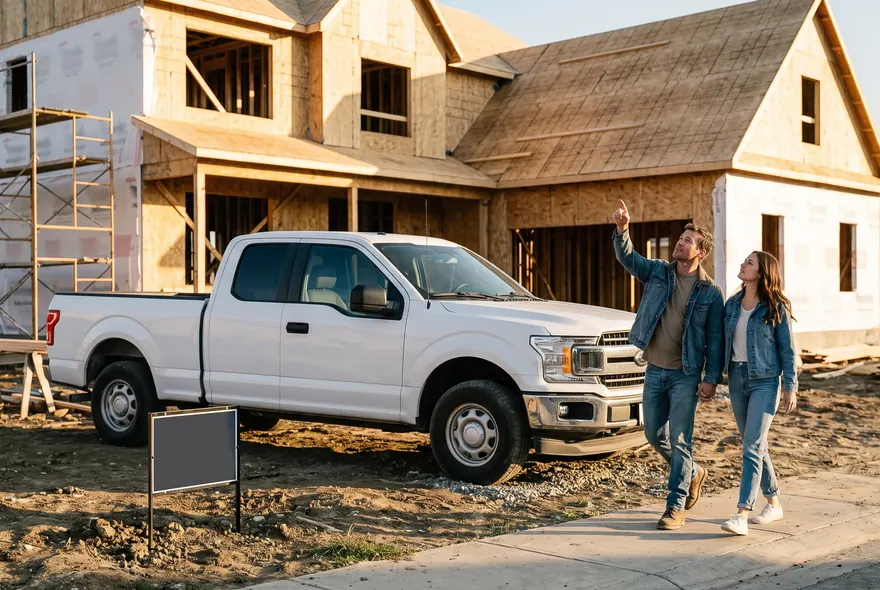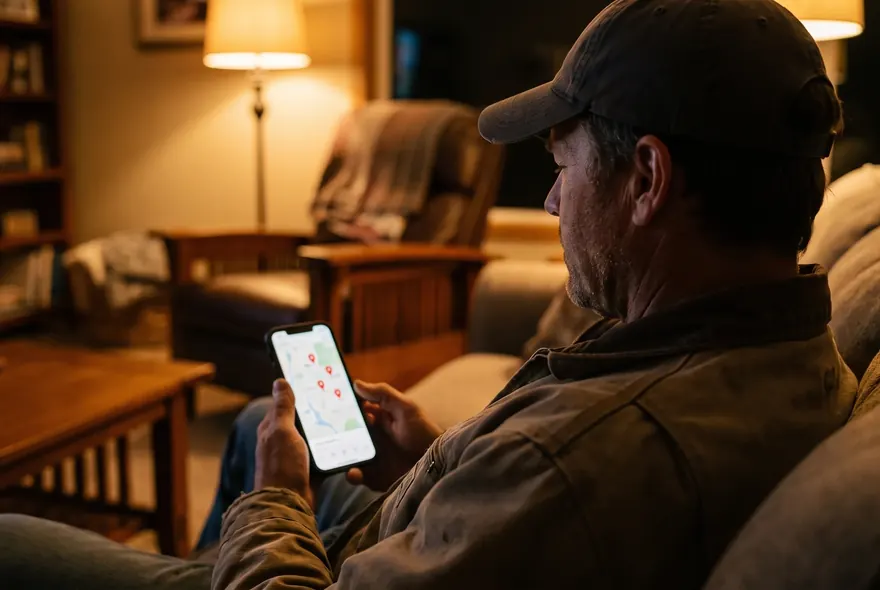
A homeowner fills out your form at 7:40 on a Tuesday night. They also filled out two other builders’ forms. You see it the next morning at 10, call at lunch, and they tell you they already have a site walk booked with someone else.
You didn’t lose that job on price or on quality. You lost it on speed.
What speed to lead means
Speed to lead is how long it takes you to respond after a lead reaches out. The clock starts when they hit send or dial. It could be a form, a call from your Google profile, an ad form, a lead site or a referral’s text.
There are really two clocks, and you should track both:
- Time to first response. How long until the lead hears anything from you. An automatic text counts.
- Time to first conversation. How long until a real person from your company talks to them. This is the one that wins jobs.
An automatic text gets the first clock under a minute. Only a person can stop the second.
Why builders lose on speed to lead
Builders aren’t slow because they don’t care. It’s how the work and the leads come in.
The same lead goes to several builders
If you buy leads, you’re rarely the only one who gets them. On Angi, the same request usually goes to several pros. On Thumbtack, you pay when a customer contacts you, and that customer can contact other pros too. (More in lead sites for contractors.)
Your own website leads are shared in practice too. A homeowner planning a $90,000 kitchen or a $600,000 custom home may fill out several builders’ forms in one sitting. The first builder who gets them on the phone sets the bar for everyone else.
Homeowners are told to get several quotes
“Get three bids” is standard advice. So you’re in a race from the first minute. The builder who calls first gets to ask the questions, frame the budget talk and book the first site walk.
Leads come in on nights and weekends
Homeowners plan projects after the kids are in bed and on Saturday mornings. You work 7 to 4 on a site. So a lot of your leads land when you’re off the clock, and they sit until morning.
The phone is in the truck
You’re on a roof, in a crawlspace, meeting an inspector or driving between sites. You can’t answer every call. The fix is not “check your email more.” It’s a setup that answers for you in the first minute, then gets a person on the phone soon after.
What the research says about lead response time
The best-known study is from Harvard Business Review, 2011: “The Short Life of Online Sales Leads”. Here’s what it found, in plain words.
How fast companies actually responded. The researchers audited 2,241 U.S. companies by sending them web leads.
- 37% responded within an hour.
- Among companies that responded within 30 days, the average response time was 42 hours.
- 23% never responded at all.
What speed was worth. In separate data on 1.25 million leads:
- Firms that contacted a lead within an hour were nearly 7 times as likely to qualify that lead as firms that waited longer. “Qualify” here means having a meaningful conversation with a decision maker.
- They were more than 60 times as likely to qualify the lead as firms that waited 24 hours or more.
“Most builders lose the job before they ever see the lead.”
What the study doesn’t tell you
- It’s from 2011. That was before most small businesses texted customers. The exact numbers are old.
- It’s not about builders. It covers companies across many industries. A $400,000 custom home is a slower, bigger decision than most of what they studied.
- It shows a link, not proof. Companies that answer fast may also be better run in other ways.
What you can take from it: the first hour matters, the first day matters more, and plenty of businesses are slow. A builder who calls back in five minutes stands out before saying a word about their work.
How fast should you respond to a lead?
No study says “5 minutes for builders.” These are working targets we use, based on the research above and on how homeowners shop.
| Situation | First response | First call attempt |
|---|---|---|
| Form or ad lead, work hours | Automatic text in under 1 minute | Within 5 minutes, no later than 1 hour |
| Missed call, work hours | Automatic text in under 1 minute | Within 1 hour |
| Lead after 7 p.m. | Automatic text in under 1 minute | Next morning by 9 a.m. |
| Weekend lead | Automatic text in under 1 minute | Same day if someone is on call, or Monday by 9 a.m. |
| Lead site lead (Angi, Thumbtack) | Reply in the app right away | Within 5 minutes. These are your most shared leads |
How to measure your own speed to lead
Most builders think they’re faster than they are. Test it the way a homeowner would. It takes about 30 minutes spread over a week.
Step 1: Get a test phone
Use a number your business doesn’t know, like a friend’s phone, and a fake first name.
Step 2: Run five tests
- Website form, weeknight. Around 8 p.m. on a Tuesday, fill out your own form on your phone. Use a real-sounding project: “kitchen remodel, about $70k, want to start in spring.”
- Phone call, work hours. Around 10 a.m. on a weekday, call your business number. Let it ring out. Hang up without leaving a voicemail.
- Phone call with voicemail. Another day, call and leave a short message with your test name and number.
- Google profile. Search your business name on your phone. Tap Call on your Google Business Profile, then tap the website link. Make sure both work. (If your profile needs work, see Google Business Profile for contractors.)
- Saturday morning. Fill out your form or call at 10 a.m. on a Saturday.
Step 3: Write down what happens
| Test | Sent at | First reply (what, when) | First real person (who, when) | Notes |
|---|---|---|---|---|
| Form, Tue | 8:02 p.m. | None | Wed 10:45 a.m., owner | Form only emailed. No text |
| Google call, Fri | 9:15 a.m. | Voicemail | Fri 12:10 p.m. | Greeting has old company name |
Note how long until you heard anything, how long until a person talked to you, and whether you’d want to keep talking.
Step 4: Check your last 20 real leads
Pull your last 20 leads from your email, texts and call log. For each one, write when it came in and when someone first spoke to them. The mystery-shop test shows you the gaps. The last 20 leads show you the cost.
The speed to lead playbook: the first 5 minutes
Minute 0 to 1: automatic text. The lead gets a text from your business number: who you are, that you got their request, and when you’ll call.
Minute 0 to 1: alert to whoever answers. The person on lead duty gets a text with the lead’s name, number, project and form answers. The full details, so they can call from the truck.
Minute 5: call. If the person on duty can’t call within 5 minutes, they call within the hour. The automatic text should have promised a time they can keep.
Minute 6: voicemail and text. No answer? Leave a short voicemail, then send a text so they have your number in writing.
Contact cadence for days 1 to 7
One call is not enough. People miss calls, and some won’t pick up a number they don’t know. Here’s a 7-day plan that’s persistent without being a pest.
| Attempt | Timing | Channel | What to say |
|---|---|---|---|
| 1 | Minute 0 to 1 | Automatic text | Got your request, here’s when I’ll call |
| 2 | Minute 5 | Call | Opening and qualifying questions (below) |
| 3 | Right after a missed call | Voicemail, then text | “Just tried you, here’s my number” |
| 4 | Same day, 3 to 4 hours later | Call | Same opening. No voicemail this time |
| 5 | Day 1, 6 to 7 p.m. | Call, then text if no answer | Evenings reach people who work days |
| 6 | Day 2, morning | Text | Ask one easy question about the project |
| 7 | Day 3 | Text | “Still interested?” check-in |
| 8 | Day 5 | Call | Try a different time of day |
| 9 | Day 7 | Text | Close the loop and leave the door open |
After day 7 with no reply, move them to a “not now” list and check in once a month. Stop right away if they say they’ve hired someone, ask you to stop or reply STOP.
After the site walk and the bid, a different follow-up starts. The bid follow-up scripts cover day 1, 3, 7, 14 and 30.
Speed to lead scripts you can copy
Fill in the brackets. Keep the tone the way you’d talk on a job site.
Automatic text after a form
Work hours:
Hi [name], this is [your name] with [company]. Got your request about the [project]. I'm on a job site right now. I'll call you by [time] today. Is this a good number?
After hours or weekend:
Hi [name], it's [your name] with [company]. Got your request about the [project]. We're done for the day. I'll call you [tomorrow / Monday] by 9. If another time is better, just text it here.
With qualifying questions (if your form doesn’t ask them):
Hi [name], it's [your name] with [company]. Got your request. So I come prepared for our call: do you own the lot or home already, and when are you hoping to start?
First call opening
“Hi [name], this is [your name] with [company]. You sent us a request about your [project] a few minutes ago. Is now an OK time for five minutes?”
If yes: “Great. Tell me a little about what you’re planning.” Then let them talk, and write it down.
Qualifying questions for the first call
Ask these like a normal conversation, not a checklist. Adjust for your trade.
- “Where is the project?”
- “Do you own the home or the land already?” (For new builds and barndos, this is the first filter.)
- “What’s the rough size or scope?”
- “Do you have a budget range in mind?” If they hesitate: “Most [projects like this] we do land between [$X] and [$Y]. Does that fit what you’re thinking?”
- “How are you paying for it: cash, a construction loan, a HELOC? Have you talked to a lender?”
- “When would you like to start?”
- “Who else is part of the decision?”
- “Are you talking to other builders?” (Fine if they are. You just want to know.)
Book the next step before you hang up: “Next step is a site visit. I can do Thursday at 4 or Saturday at 9. Which works?”
Voicemail script
Under 20 seconds: “Hi [name], this is [your name] with [company] calling about your [project]. I’ll text you from this number too. Call or text me back at [number] whenever it’s easy. Thanks.”
Then send:
Hi [name], [your name] with [company]. Just tried calling about your [project]. Text or call me back here whenever works.
When they text back after hours or on a weekend
You don’t have to start a long conversation at 9:30 p.m. Hold the lead and set a time:
Thanks [name], got it. I'll call you at 8:30 tomorrow morning. If that doesn't work, tell me a better time.
Day 3 “still interested?” text
Hi [name], [your name] with [company] again. Still thinking about the [project]? If now's not the time, no problem. Just let me know either way.
Day 7 close-the-loop text
Hi [name], I haven't been able to reach you, so I'll stop following up for now. If you pick the [project] back up, text me here and I'll get you on the schedule.
More first replies, no-show texts and check-ins are in the free text templates.
Who answers new leads
If only the owner can answer new leads, your speed to lead depends on whether the owner is on a roof. Decide in advance who owns each lead.
| Role | What they do | When |
|---|---|---|
| Owner | Takes qualified first calls, does site walks, prices the job | Within 1 work hour of a new lead |
| Spouse or office manager | Watches lead alerts, replies to texts, makes the first call if the owner can’t, books site walks on the owner’s calendar | Work hours, plus evenings if agreed |
| Project lead | Answers calls about current jobs and warranty work, passes new leads to the office | Site hours |
A simple handoff rule
- Whoever sees a new lead first replies within 5 minutes and puts their initials on it in the lead list.
- If the owner can’t call within 1 work hour, the office manager calls and books the site walk.
- Nobody closes a lead without a note saying what happened.
Initials stop the “I thought you called them” problem.
How to set up fast lead response
You need four pieces working together.
1. Forms that text you, not just email you
If your form only sends to an inbox, you’ll see it hours later. Open your form settings and check where notifications go. You want the lead’s name, number and answers sent as a text to whoever is on duty, plus an email for the record. If your form tool can’t do that, it’s worth changing. Then fill out the form and time the alert. The free 2-minute check looks at your site and lead setup.
2. A business number with call forwarding
Use one business number on your website, Google profile, truck and yard signs. Set it to ring your cell and the office at the same time, or your cell first and then the office. A business phone app also gives you a record of every call and text, separate from your personal phone.
3. Automatic replies
- Form text-back: fires when a form comes in.
- Missed call text-back: fires when a call to your business number isn’t answered. Full setup in missed call text back.
In the U.S., business texting from apps and software on a regular 10-digit number generally requires A2P 10DLC registration with the carriers. Your phone or text provider walks you through it. Do it before you go live, or your texts may not arrive.
4. One lead list
Every lead goes in one place. A CRM works. A shared spreadsheet works fine for a small builder. The columns that matter:
| Column | Example |
|---|---|
| Date and time in | Tue 10/14, 8:02 p.m. |
| Name, phone, source | Dana R., (555) 123-4567, website form |
| Project and rough budget | Kitchen remodel, $60k to $80k |
| First response | 8:03 p.m. (auto text) |
| First conversation | Wed 8:40 a.m. |
| Owner (initials) | GE |
| Status | New, contacted, site walk booked, bid sent, won, lost, not now |
| Next step and date | Site walk Thu 4 p.m. |
If it’s not in the list, it didn’t happen.
Speed to lead metrics to track
Check three numbers once a month.
Time to first response = time of first reply minus time the lead came in. Track the median (the middle value), not the average. One lead you missed for 4 days will drag the average away from your normal week.
Contact rate = leads you had a real conversation with ÷ total leads.
Appointment rate = site walks or consults booked ÷ total leads.
Worked example
Say you’re a remodeler with 40 leads a month.
Before: your forms only emailed you, and you called back the same day or the next. You reached 22 of 40 leads, a 55% contact rate. You booked 10 site walks, a 25% appointment rate.
After: you add an automatic text and call within the hour during work hours. Say you now reach 30 of 40 (75%) and book 14 site walks (35%).
Now say you close 1 in 4 site walks and your average job is $65,000:
- Before: 10 site walks × 25% = 2.5 jobs a month, about $162,500 in work.
- After: 14 site walks × 25% = 3.5 jobs a month, about $227,500 in work.
Those numbers are made up to show the math. Plug in your own. You didn’t buy a single extra lead. You just stopped losing the ones you already paid for.
Do the math1minute,free Calculator No email neededHow many leads do you need?Try the leads calculator →
Pair speed with qualification
Fast replies to tire-kickers just waste your evening faster. Put a few questions on your form: project type, location, own the land or home, budget range, financing, start date. Then sort:
- Ready now (owns the land or home, has a budget, wants to start within 6 months): call within minutes.
- Planning (6 to 12 months out, still talking to a lender): call the same day.
- Just looking (no land, no budget, “someday”): send a friendly text and add them to the monthly check-in list.
Here are the 10 questions we use and how to score them.
Notes by trade
Custom homes. The sales cycle is long, but the first contact still matters. Ask about land and lender early. Someone without a lot needs a different conversation than someone with a survey in hand.
Remodels. You get the most shared leads and the most “three bids” shoppers. Put kitchen and bath leads at the top of the call list.
Pools. Leads pile up in spring. Decide who covers lead duty before the rush, not during it.
Barndominiums. Many leads are early dreamers. Ask about land and whether they’ve talked to a lender that does barndo loans. Answer fast, but sort fast too.
Commercial and metal buildings. Leads often come by email with a bid deadline. Reply the same day to confirm you got it and ask for drawings, site details and the decision date.
Common speed to lead mistakes
- The form only goes to email. Fix: send a text alert with the lead’s details to whoever is on duty.
- The automatic text sounds like a robot. “Your inquiry has been received” reads like spam. Fix: write it like you’d text a neighbor, with your first name.
- The text promises a call that never comes. Worse than no text. Fix: promise a time you can keep, and keep it.
- One call and done. Fix: use the 7-day cadence above.
- Nobody owns weekends. Fix: decide who checks leads on Saturday, even if it’s just a text and a Monday call.
- Every lead gets the same treatment. Fix: qualify on the form and call ready buyers first.
- Texting old leads with promotions. A reply to someone who just contacted you is different from texting a list. Marketing texts need prior consent. Fix: keep automatic texts to replies.
Frequently asked
What is speed to lead?
Speed to lead is the time between a lead reaching out and your business responding. For builders, it’s the gap between a form, call or lead-site request and your first text or call. The faster you respond, the better your odds of a real conversation before they talk to another builder.
What’s a good lead response time for contractors?
Aim for an automatic text in under 1 minute and a call within 5 minutes during work hours, no later than 1 hour. After hours, let the automatic text go out right away and call by 9 the next morning. Don’t call a lead at 11 p.m.
How fast should you respond to a lead?
Within the hour, and sooner if you can. The 2011 Harvard Business Review research found firms that contacted leads within an hour were nearly 7 times as likely to have a meaningful conversation with a decision maker as firms that waited longer. It wasn’t builder-specific, but it matches how homeowners shop.
Is the “5-minute rule” real?
You’ll see claims online about 5 minutes versus 30 minutes. We don’t lean on them because we can’t point you to a solid, current source. Five minutes is our target because it’s fast and doable, not because a study proves it.
Will automatic texts annoy homeowners?
Not if they’re short, come from your business number, name a real person and give a clear next step. Long, salesy or repeated texts are what annoy people.
How many times should I follow up with a new lead?
About 8 to 9 attempts over 7 days, mixing calls and texts, then once a month. Stop as soon as they say they’ve hired someone, ask you to stop or reply STOP.
A 60-second text back on every lead, day or night, is part of Get Fully Booked. Free scripts for every step are in the text templates.